
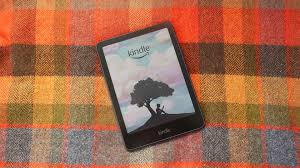
How to Use Airplane Mode on Your Kindle to Finish a Library Book After the Deadline (And Why It’s Totally Okay)
If you borrow ebooks from your library using Libby, OverDrive, or send library books to your Kindle, you’ve probably run into this situation:
You’re 80% through a book.
The deadline hits.
The Kindle message pops up: “Loan expired.”
Cue panic.
But here’s a little-known Kindle trick:
If your Kindle is already in Airplane Mode, you can keep reading that book until you reconnect to Wi-Fi—and this does not prevent the next person in line from getting their copy.
In this how-to guide, I’ll walk you through exactly how to do it, explain why it’s harmless, and answer the common questions readers have about this popular Kindle feature.
How to Put Your Kindle on Airplane Mode
Turning on Airplane Mode prevents your Kindle from syncing with Amazon’s servers. That’s what keeps the expired book from disappearing right away.
Here’s how to turn it on:
- Go to your Home Screen
- Tap the three dots (•••) in the top-right corner
- Select Settings
- Toggle Airplane Mode ON
- You’ll see a little airplane icon at the top of the screen
Once this is on, your Kindle won’t download books, update, or return loans until you reconnect.
What Actually Happens When a Library Ebook Expires
Most people assume the book gets pulled immediately from your device when it expires—but that’s not how ebook loans work.
Here’s what really happens:
The server returns the book
Your library’s system automatically checks your loan back in when the due date hits.
The next person in line gets access instantly
They’re not waiting for your Kindle to return it.
They’re waiting for the digital license, which is handled on the library’s end.
Your Kindle simply hasn’t received the “expired” update yet ’cause you need your Kindle connected to the internet to send that signal
If you’re offline, your Kindle doesn’t know anything changed.
This is why the book stays readable until you reconnect.
Why It’s Completely Harmless (and Totally Allowed)
Let’s clear this up because readers worry about this all the time:
You are NOT holding up the next borrower.
You are NOT bypassing DRM.
You are NOT breaking rules or violating your loan.
Here’s why:
1. The book file on your Kindle is just a temporary copy
It has no effect on library inventory.
The system already freed the license for the next borrower.
2. As soon as you reconnect to Wi-Fi, the file deletes itself
No matter where you are in the book.
3. Libraries and publishers expect this behavior
This is exactly how Kindle’s DRM is designed.
You don’t “keep” the book—you just delay the update.
4. Nothing gets synced after expiration
Your notes, highlights, or reading progress won’t sync to Amazon or the library system.
5. The next reader is NOT impacted
Their turn begins as soon as the due date hits, not when you return the file.
So yes—this method is both safe and common.
Why Readers Use Airplane Mode
There are plenty of legit, everyday reasons readers do this:
- They’re one or two days away from finishing
- There’s a long hold list, so renewing isn’t possible
- They don’t want to lose their place in the story
- Life got busy that week (we’ve all been there!)
- They simply don’t want a book to vanish mid-chapter
It’s a reader-friendly feature…not a loophole.
A Few Things to Keep in Mind
- Once you turn on Wi-Fi again, the book disappears immediately
- Notes/highlights may not sync after expiration
- If you delete the book manually, you’ll need to borrow it again
- You cannot download new books while in Airplane Mode
But overall, it’s simple and low-risk.
FAQ: Kindle Airplane Mode & Library Books
Will my library know I’m doing this?
No. Your library sees the book as returned on time. Nothing unusual shows up.
Is this illegal or against library rules?
Nope! The loan ends on the server. You’re just reading the cached file.
Can Amazon ban my account for this?
Absolutely not. This is normal Kindle behavior, not misuse.
How long can I keep reading?
As long as your Kindle stays offline (hours, days, even weeks).
But the moment you reconnect, the book will delete.
Can I still download books in Airplane Mode?
No. You’ll need to reconnect to Wi-Fi to download anything new.
What happens to my highlights?
They stay on the device but usually won’t sync to your Amazon cloud once the book expires.
Final Thoughts: It’s Okay to Give Yourself Extra Time
Life happens. Deadlines sneak up. Some weeks are chaos.
Using Airplane Mode on your Kindle is a reader-friendly, harmless way to finish those last few chapters without stressing about the clock.
You’re not blocking the next person from getting the book.
You’re not breaking rules.
You’re simply taking advantage of a built-in feature that millions of Kindle users rely on.
So the next time you’re close to finishing a library ebook, go ahead—flip on Airplane Mode, grab your blanket, and enjoy those last pages guilt-free.